

Static comes first.
The static pipeline never executes the APK. Runtime analysis requires an explicit action inside an attached emulator.
 AndroShieldAndroid security, explained
Evidence-first Android triage
Inspect suspicious APKs, understand their risk, and follow the findings behind every score. All in one local workspace.

 Local analysis
 Explainable scoring
 Optional AI review
 Portable workspace
From a suspicious permission to a critical verdict, see the evidence that connects the dots.
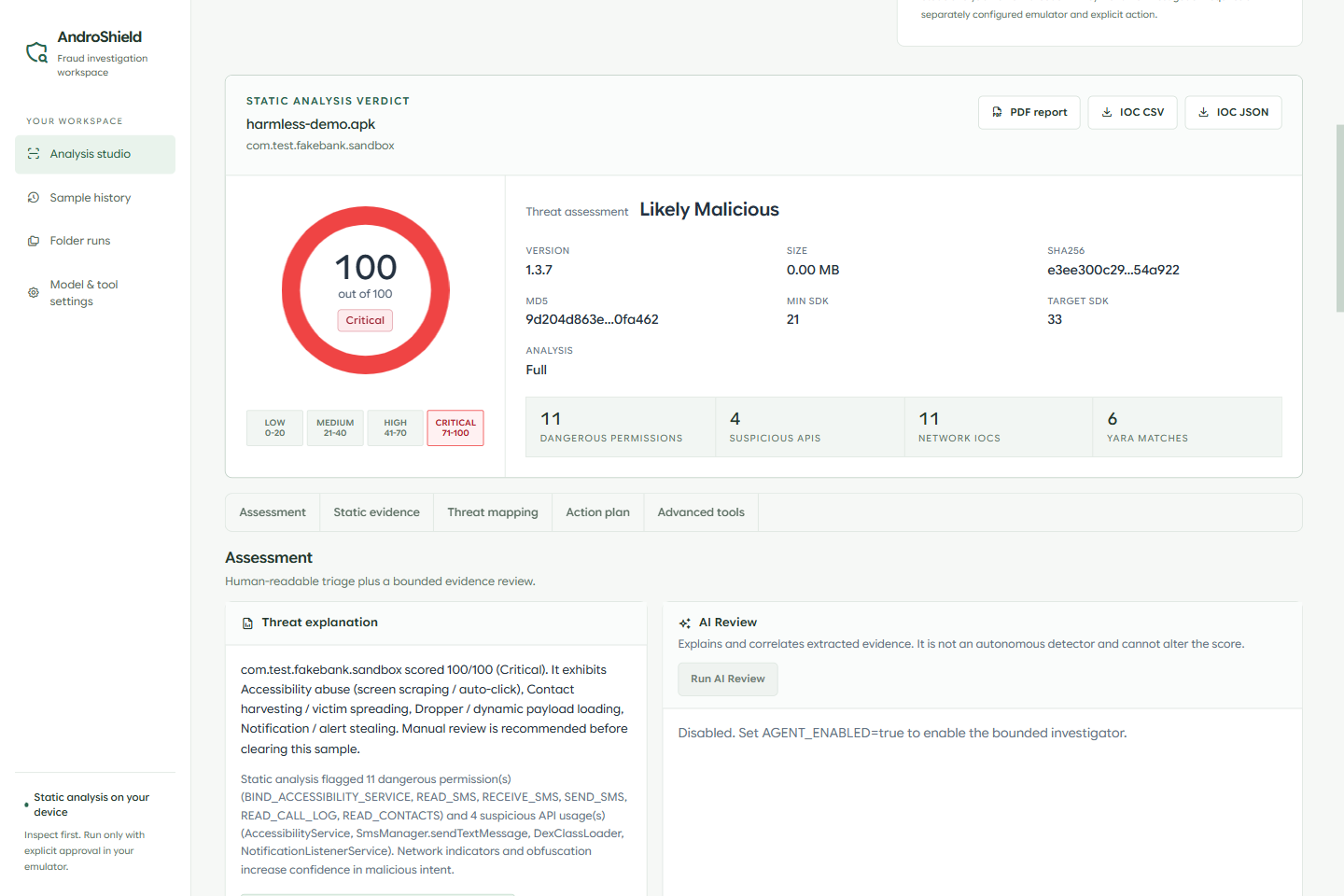
Actual app captures using a harmless synthetic APK. The example score illustrates test findings; it is not an accuracy metric. About these captures
A connected investigation, from the first hash to a report you can share.

Extract metadata, permissions, suspicious APIs, and embedded indicators without running the APK.
Static inspectionReview a rule-based score and the explicit reasons behind it, alongside signatures and threat mappings.
Transparent scoringOptionally use a local or hosted model to investigate extracted findings through a bounded, auditable review.
Optional AI assistance
Keep your sample history. Export a PDF report or carry indicators into the next workflow as CSV or JSON.
Shareable findingsDesigned for deliberate analysis
The static pipeline never executes the APK. Runtime analysis requires an explicit action inside an attached emulator.
Local scoring is rule-based. Optional VirusTotal corroboration is shown separately and does not change the local verdict.

Only extracted findings are sent to AI. Raw APK bytes stay out of the model request. Template reports work without an API key.
 A workspace that travels with you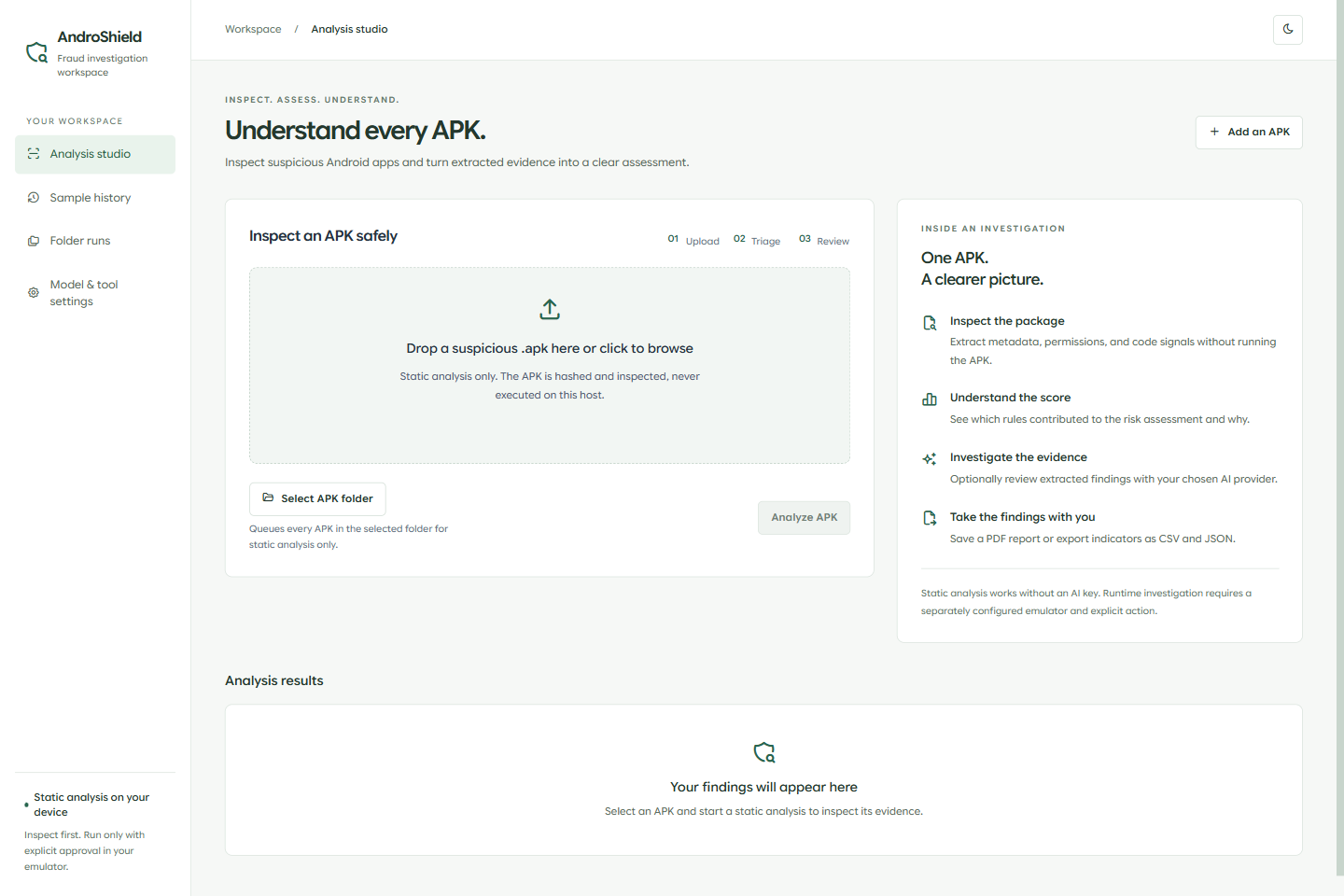
The Windows portable app bundles Electron and the Python analysis engine. Keep the EXE and its data folder together.
 History and settings beside your EXENo separate Python or Node installationYour own SDK, ADB, and model locations
Build from source. A packaged GitHub release is not published yet. External tool paths may need updating on another PC.
Built on tools you can inspect.
 Python / FastAPIAndroguard
 YARA / APKiD
 SQLite
 Electron
This is the project showcase. To inspect APKs, run the desktop app or the FastAPI web application locally. This website does not upload or analyze files.
Yes. Static analysis, rule-based scoring, YARA scanning, ATT&CK mapping, and template reporting work without a hosted AI key. Optional model and external-service features have their own setup requirements.
Only for explicitly requested dynamic analysis. Static analysis runs without an emulator and never executes the APK on the host.
No. Scores and findings support analyst triage; they do not guarantee safety. Static analysis cannot observe every runtime behavior.
The project repository contains the source, architecture, scoring rules, and setup guides. The redesigned desktop workspace lives on the redesign branch.
Explore the code. Understand the rules. Start your investigation.
View source